
Class updates & photos
See what your child did today — activities, meals, nap times, and photos posted by teachers from the staff app.
The mobile app parents use every day — class updates, secure chat, attendance, invoices, and daily routines. It pairs with FluentCenter, the desk and staff system your childcare centre runs on.
Fluent Parent keeps families informed without WhatsApp groups or paper notices — synced from the centre's FluentCenter desk.
See what your child did today — activities, meals, nap times, and photos posted by teachers from the staff app.
Chat directly with your centre. Messages stay on the platform — not mixed into personal WhatsApp threads.
Check-in status, pick-up authorisation, and QR gate pass for authorised collectors.
View billing, payment status, and invoice history without calling the office.
See your child's published routine, suggest changes, and send same-day special requests.
Get alerted when the centre posts an update, replies to chat, or marks attendance.
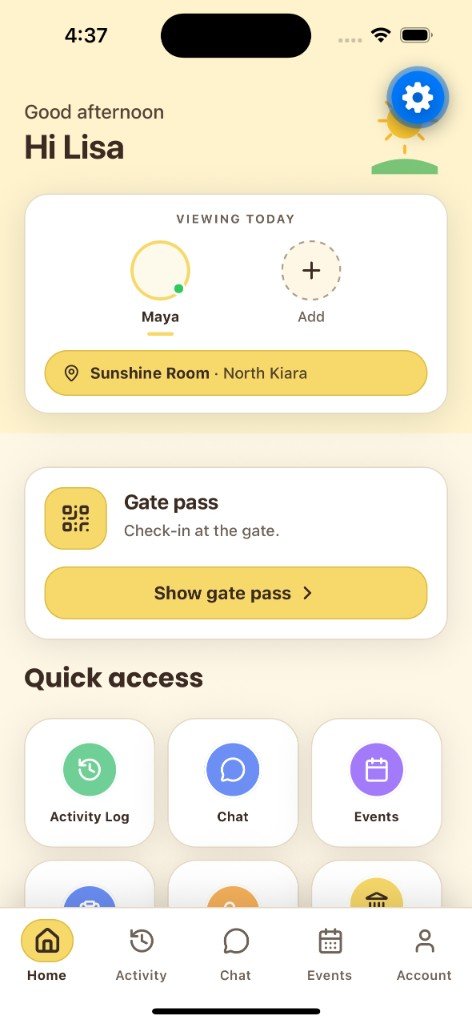
Real screens from the parent app — home dashboard, gate pass, account, and centre events.
Switch between children, open gate pass, and jump to chat or activity.
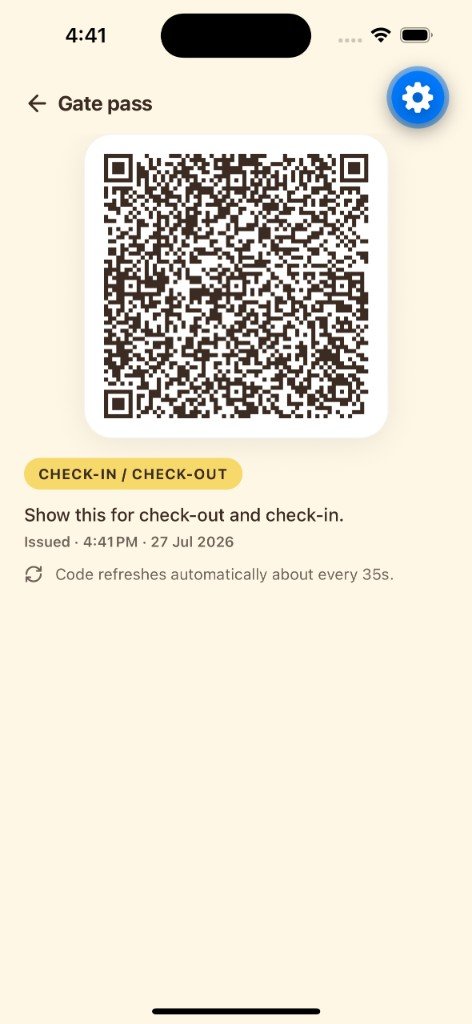
Dynamic QR for authorised check-in and check-out at the centre gate.
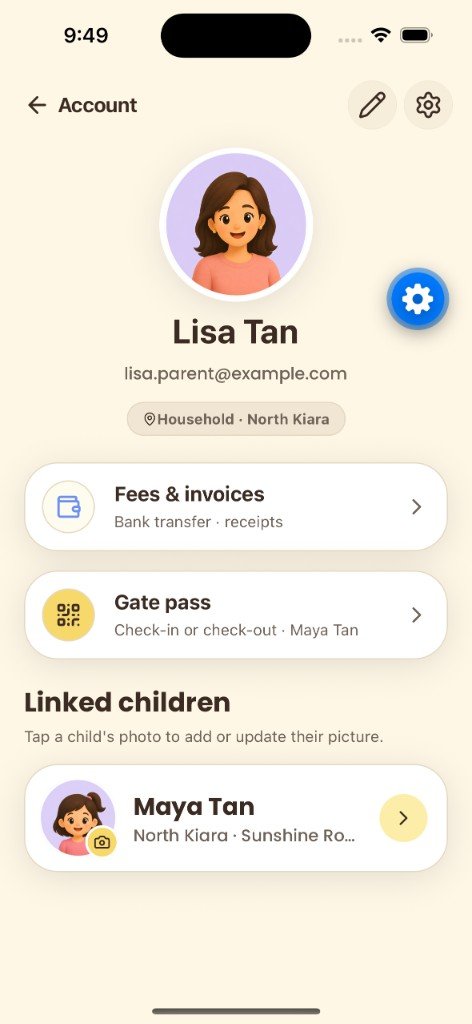
Profile, linked children, invoices, and gate pass shortcuts in one place.
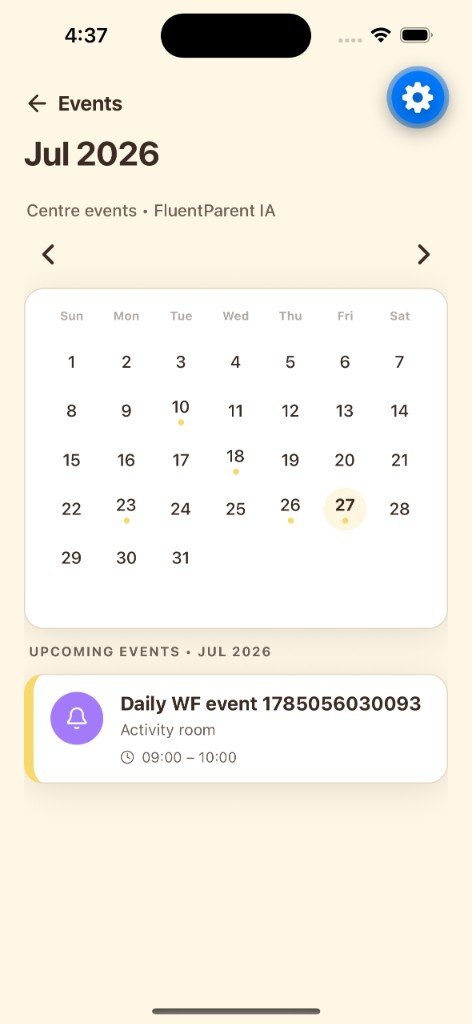
Browse the centre calendar and upcoming activities for your child.
FluentCenter onboard your roster; parents receive an invite and download Fluent Parent.
Your childcare centre enrols students, assigns cohorts, and invites staff on the FluentCenter admin desk and staff PWA.
The centre links each child to a parent account. Parents sign in with the email their centre registered.
Install on iOS or Android. Sign in once — switch between children if you have more than one enrolled.
Receive updates, message teachers, view invoices, and approve routines from your phone.
Parent and child data stays within your centre's FluentCenter environment — designed with Malaysian PDPA expectations in mind.
Parents only see their own children. Staff see assigned classes. Admins control the roster.
Authenticated API access with session persistence and reconnection on mobile networks.
Messaging is between parents and centre staff — not an open social network.
Student records and messages live in your centre's FluentCenter deployment, not a generic consumer app backend.
Tech stack
Fluent Parent is a mobile app by Wave Infotech Solutions for parents whose children attend a childcare centre, nursery, or kindergarten that runs on FluentCenter. Instead of scattered WhatsApp groups and paper handouts, parents get one app for updates, messaging, attendance, invoices, and daily routines.
Download Fluent Parent on the App Store. Android builds are distributed through Google Play as your centre rolls out — ask your centre for the latest link if you are on Android.
Centres: explore mobile app development and contact Wave Infotech for FluentCenter deployment.
FluentCenter is the centre-side system — an admin desk for enrolment, billing, routines, and parent communications, plus a staff progressive web app for attendance, updates, and child profiles on the floor. Fluent Parent is the parent-facing companion; data flows from centre to app in real time.
Centres manage students, cohorts, invoices, daily routines, and parent links from one desk. Teachers post class updates and mark attendance from phones or tablets. Parents see the same information in Fluent Parent within minutes.
Parents use Fluent Parent on iOS or Android after their centre invites them.
Childcare centres in Malaysia and ASEAN deploy FluentCenter with Wave Infotech — custom onboarding, PDPA-aware hosting, and training for admin and floor staff.
Need FluentCenter for your centre or a demo? Contact Wave Infotech Solutions in Cyberjaya.
Your childcare centre creates your parent account and links your child. You then download the app and sign in with the email they registered. You cannot self-register without a centre invite.
The app is free to download. Your centre may include platform fees in their service package — ask your centre administrator.
No. Messaging is between parents and centre staff only, keeping conversations professional and child-focused.
FluentCenter is the backend desk and staff system your centre uses. It manages enrolment, attendance, updates, invoices, and routines that appear in Fluent Parent.
Yes. Wave Infotech Solutions deploys FluentCenter for childcare operators in Malaysia. Contact us for a demo and migration plan.
Available on iOS today. Ask your centre if you are on Android or need a parent invite.
Developed by Wave Infotech Solutions · About Wave · Fluent Parent pairs with FluentCenter